

odoo×We EnhanceOfficial Odoo partner
We Enhance Clothes ERP System
One system. 14 apps. All connected.
Till, stock, online store, delivery, accounting and reports share one set of numbers. Built on Odoo for Her Boutique in Beirut, ready to fit your shop. It is one example of the We Enhance ERP System: we build the same for any field.
- Official Odoo partner
- Set up and trained by our team


one system
Everything talks to everything.
Not separate programs. One system, one login, one stock count. Pick an area to see what it shares.
one stock count
one set of numbers
Point of sale
Every sale drops the stock, posts to the accounts and lands in the reports the same second.
Stock and barcodes
One count per size and colour. The till and the online store both read it.

Online store
Shows only what is on the shelf. Its orders arrive in the same list as shop orders.

Orders and delivery
Website, Instagram and shop orders together, with payment and delivery status.
Accounting
Invoices, refunds and cash closings post themselves. Nothing is typed twice.
Reports
Sales, margin and best sellers across every channel, always up to date.
- 14connected apps
- 4sales channels
- 28screens
- 1login
odoo×We EnhanceBuilt on Odoo, set up by We Enhance
One system. 14 apps.
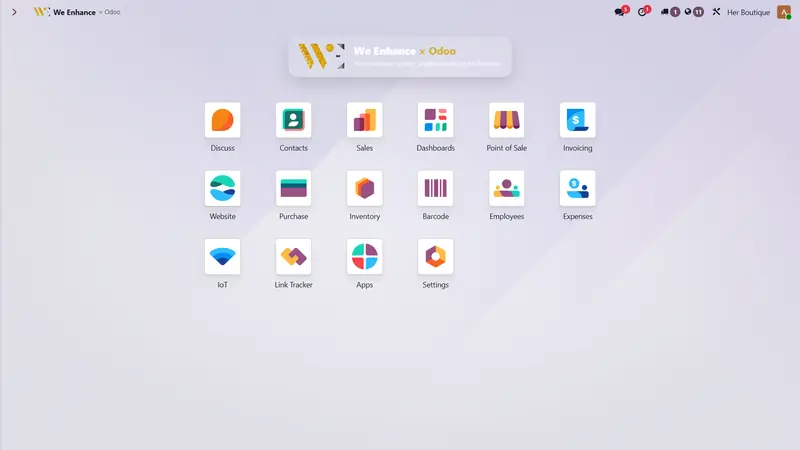
Every app below is switched on in the boutique's system, and every one reads the same data.
Point of Sale
The till: sales, returns, receipts, closing.
Inventory
Stock per size and colour, in every location.
Barcode
Scan to receive, count and sell.
Website
The online store, on the same stock.
Sales
Quotes and orders from every channel.
Invoicing
Invoices, payments and refunds.
Purchase
Supplier orders and what they cost.
Dashboards
Sales, profit and stock, live.
Contacts
Customers and suppliers in one list.
Employees
Staff, roles and who sold what.
Expenses
Shop costs recorded where they happen.
Discuss
Team messages next to the work.
IoT
Receipt printer, scanner and cash drawer.
Link Tracker
Which link or ad brought the sale.
app list taken from the system's own home screen · open that screen
live numbers
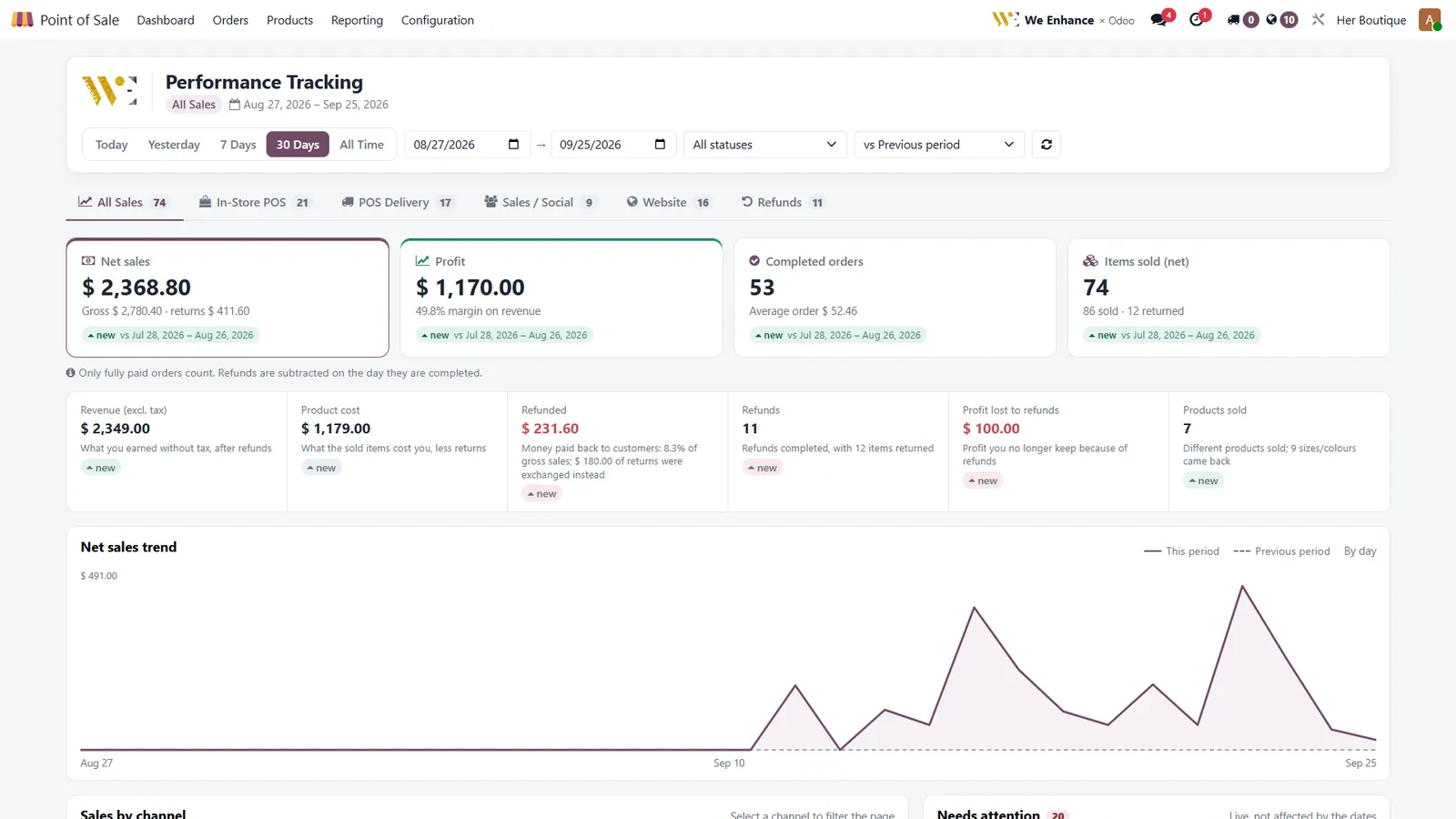
What the owner sees each morning.
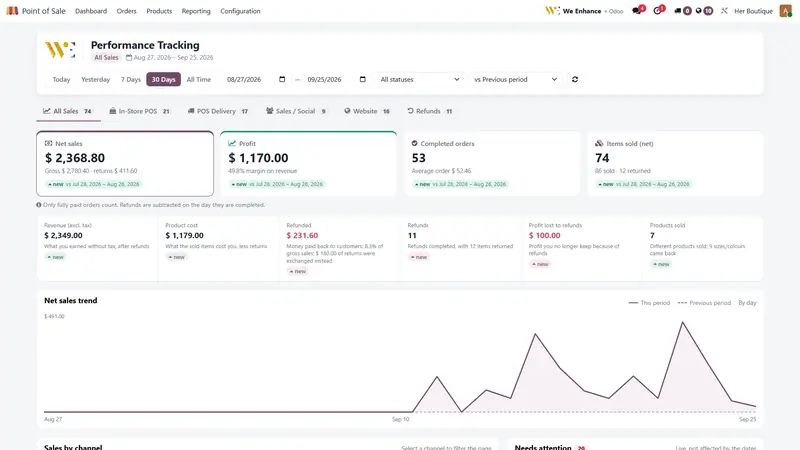
net sales · 30 daysall channels
$2,368.80
Gross $2,780.40, with $411.60 of returns already taken off.
profitafter refunds
$1,170.00
49.8% margin on revenue.
orders by channel4 channels
stock · one item5 on hand
completed orders
53
Average order $52.46.
74
Items sold, 12 returned.
figures from the her boutique dashboard, 27 aug to 25 sep 2026 · trend line redrawn from the same screen
how it works
Follow one dress from the box to the profit report.
-
Step 1
Receive
New stock arrives. Each size and colour is counted once.
-
Step 2
Label
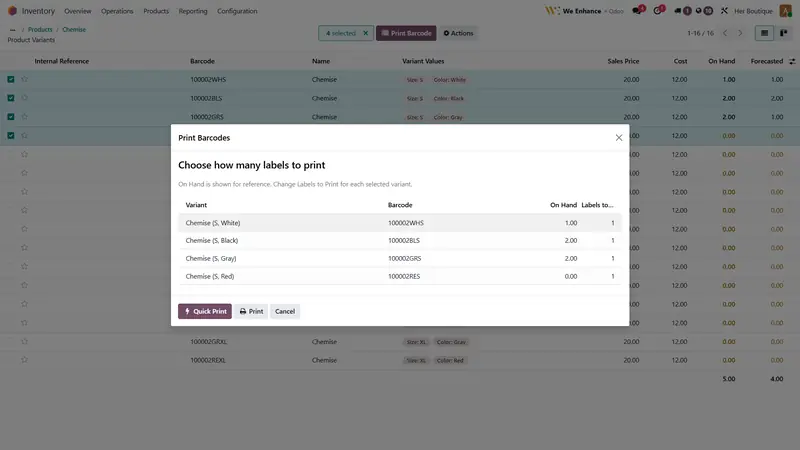
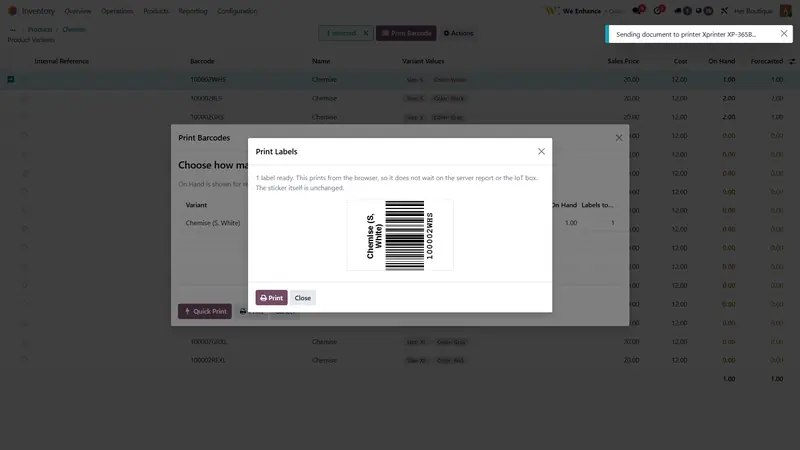
Barcodes print per variant, ready for the rail.
-
Step 3
Sell
In store or online, the same stock drops by one.
-
Step 4
Deliver
A slip prints with the amount to collect.
-
Step 5
Know
Profit, refunds and best sellers update on their own.








inside the system
Five parts. One set of numbers.
Point of sale
A till your team learns in a morning.
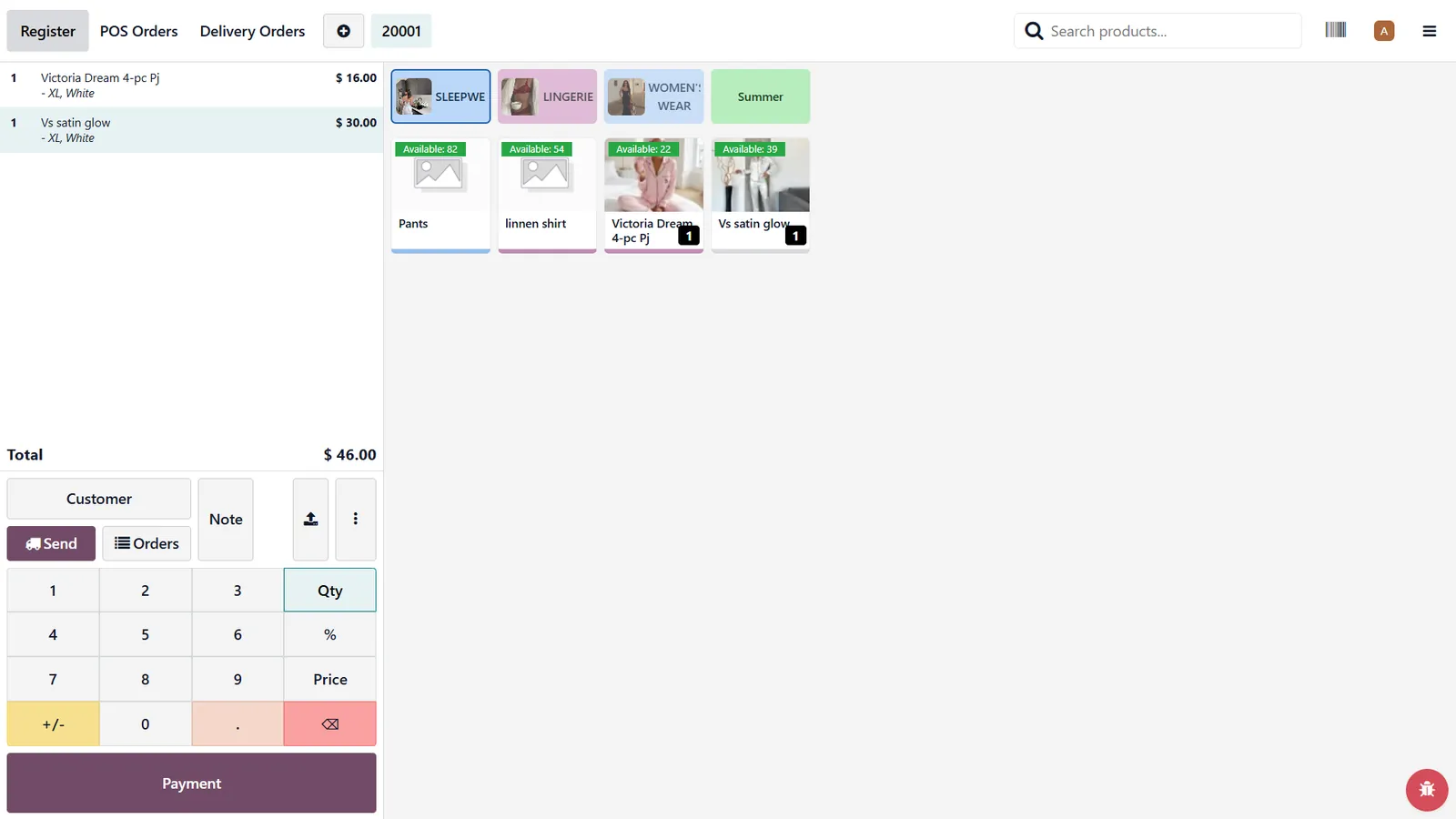
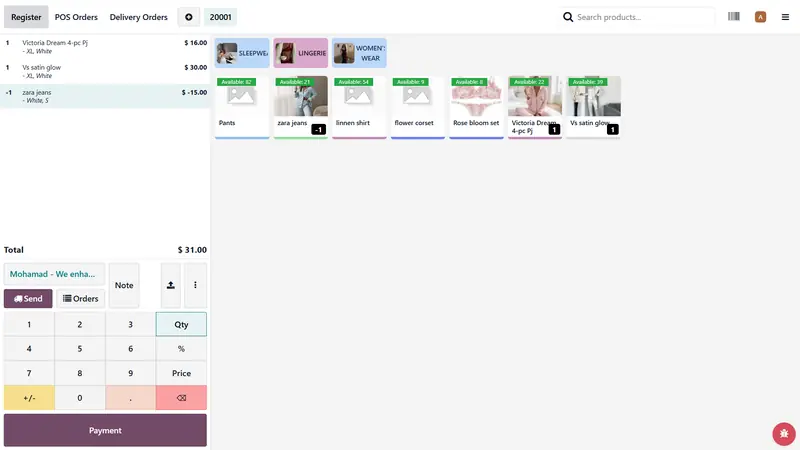
Big product tiles with live stock on each one. A return and a new sale fit on the same ticket.
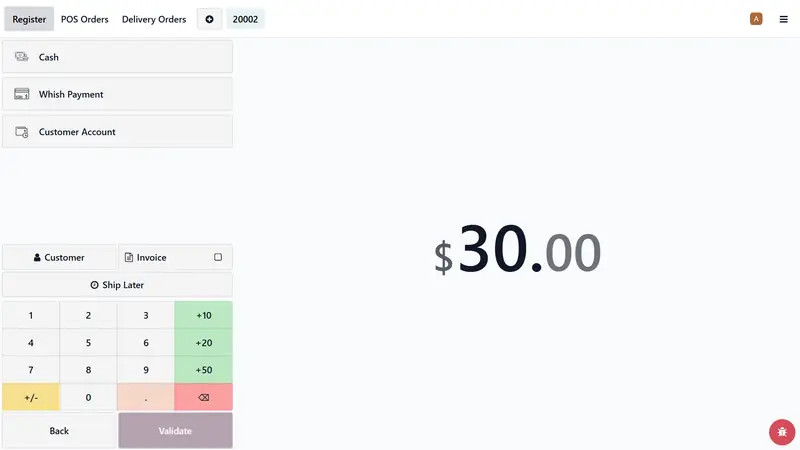
- Cash, Whish and customer account
- Branded receipt with a QR invoice link
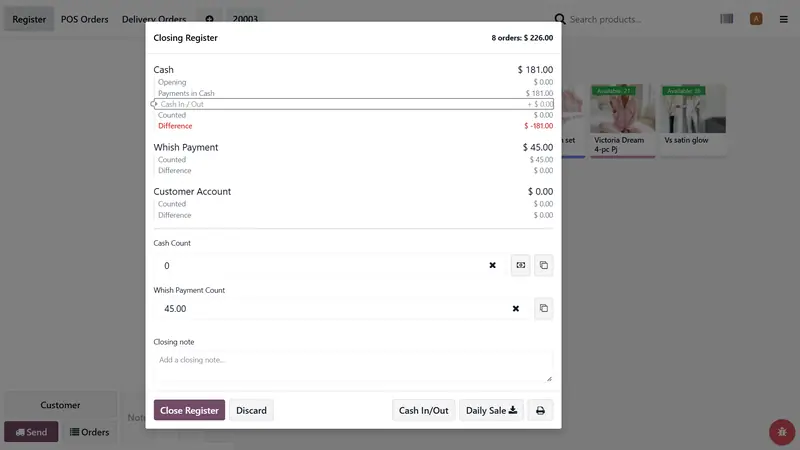
- Close the day with a counted drawer

Stock and barcodes
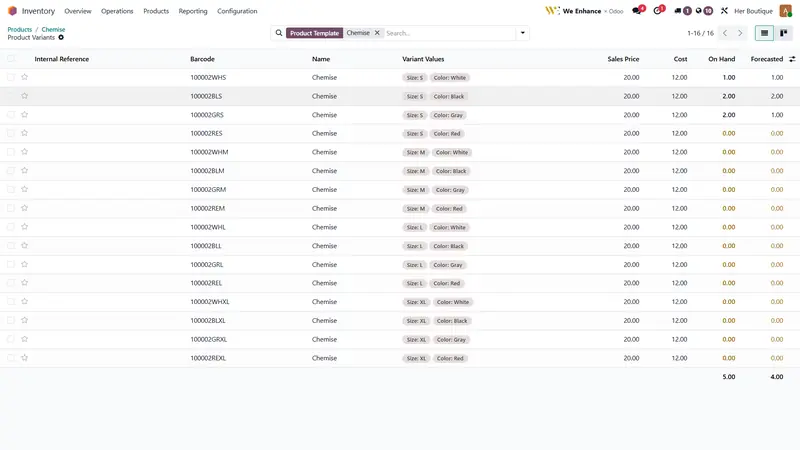
Every size and colour, counted.
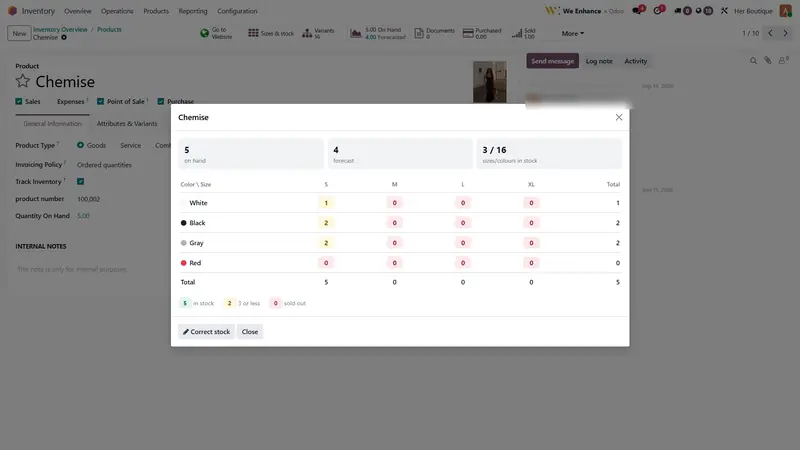
One table per item. Low and sold-out variants are marked for you.
- A barcode for every variant
- Quick print to the label printer
Orders and delivery
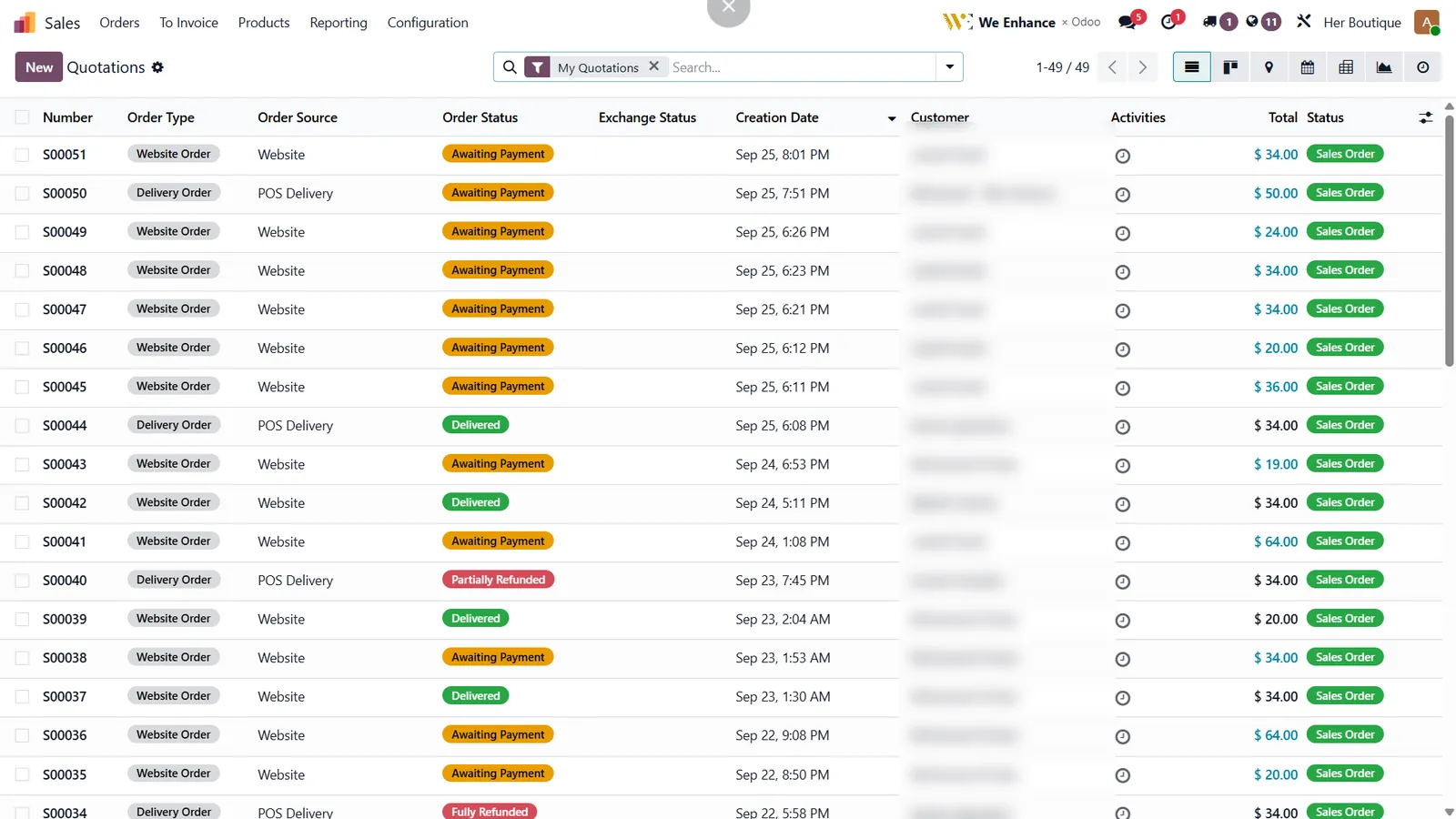
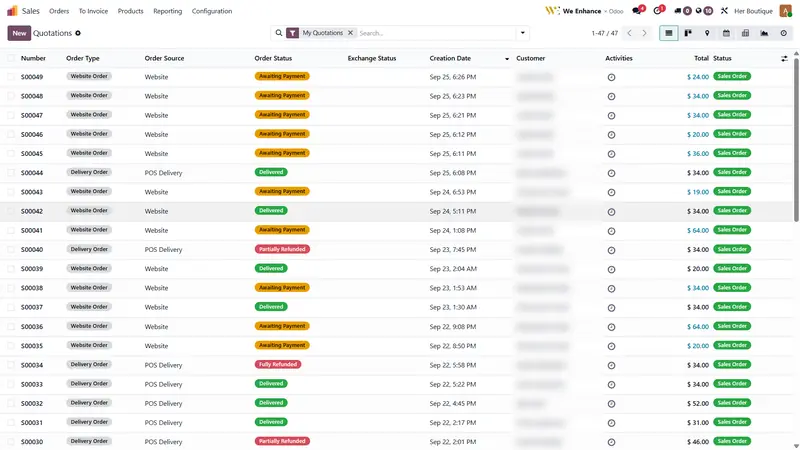
Website, Instagram and shop orders in one list.
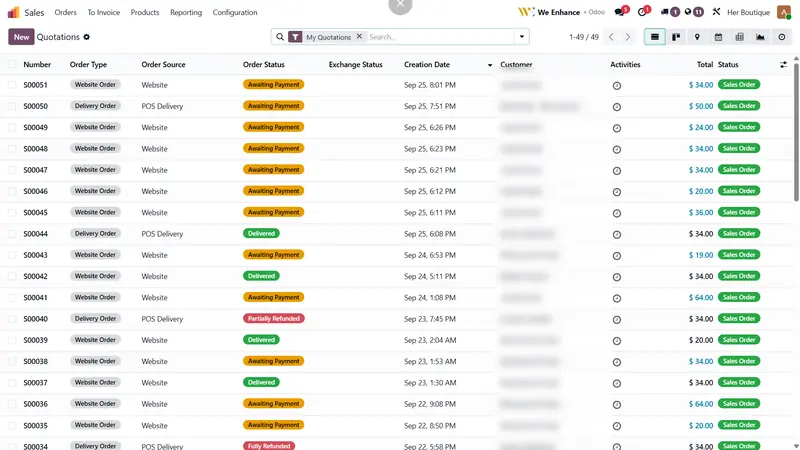
Where each order came from, whether it is paid, and whether it arrived.
- Delivery slip with cash to collect
- Partial and full refunds tracked

Online store
A shop that never sells what you do not have.
The store reads the same inventory as the till, so sizes and colours are always true.
- Filters by size, colour and price
- Collections that match the POS
- WhatsApp contact built in
Reports
Answers, not spreadsheets.
Open a product, a category or a customer. See sales, margin, stock value and returns for any period.
- Net sales and profit against last period
- Sell-through and stock value per product
- Sales by channel, side by side
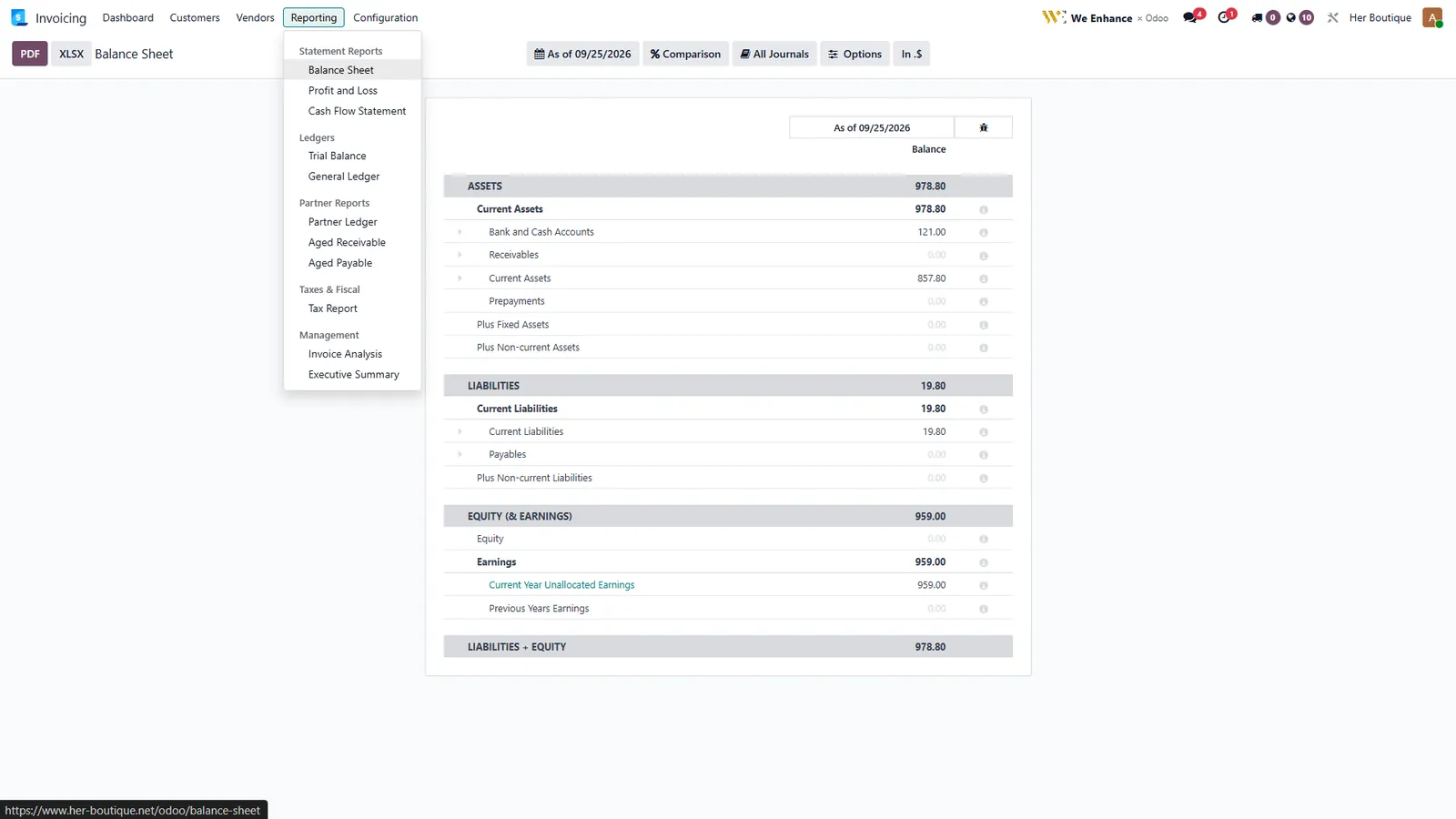
- Balance sheet and profit and loss
every detail
28 screens. Nothing hidden.
Real screens from the running system. Open any one at full size.
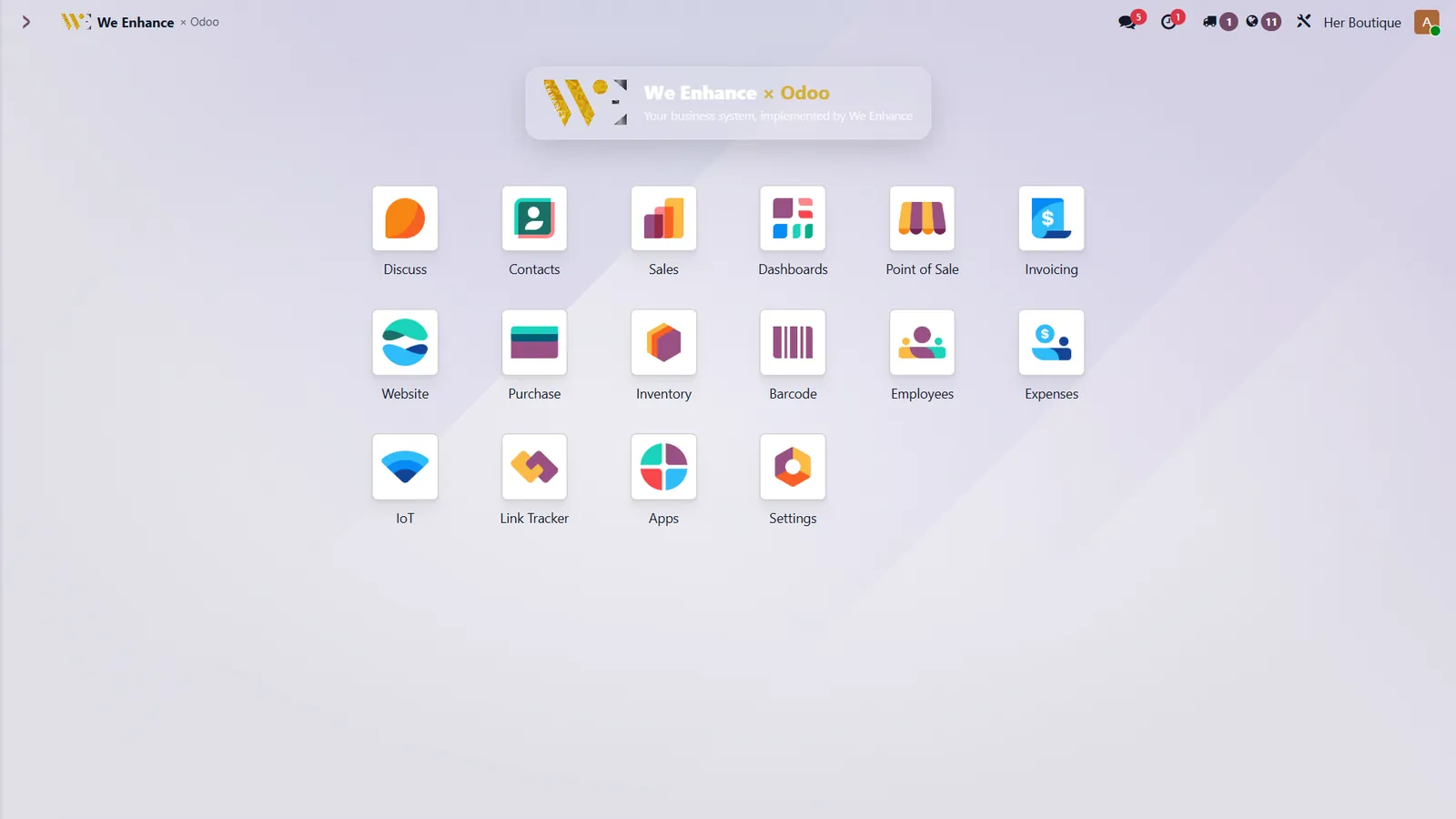 One home for every appSales, stock, shop, accounts and staff behind one login.
Performance trackingNet sales, profit, refunds and items sold, against the last period.
 Sales by channelIn-store, delivery, social and website compared side by side.
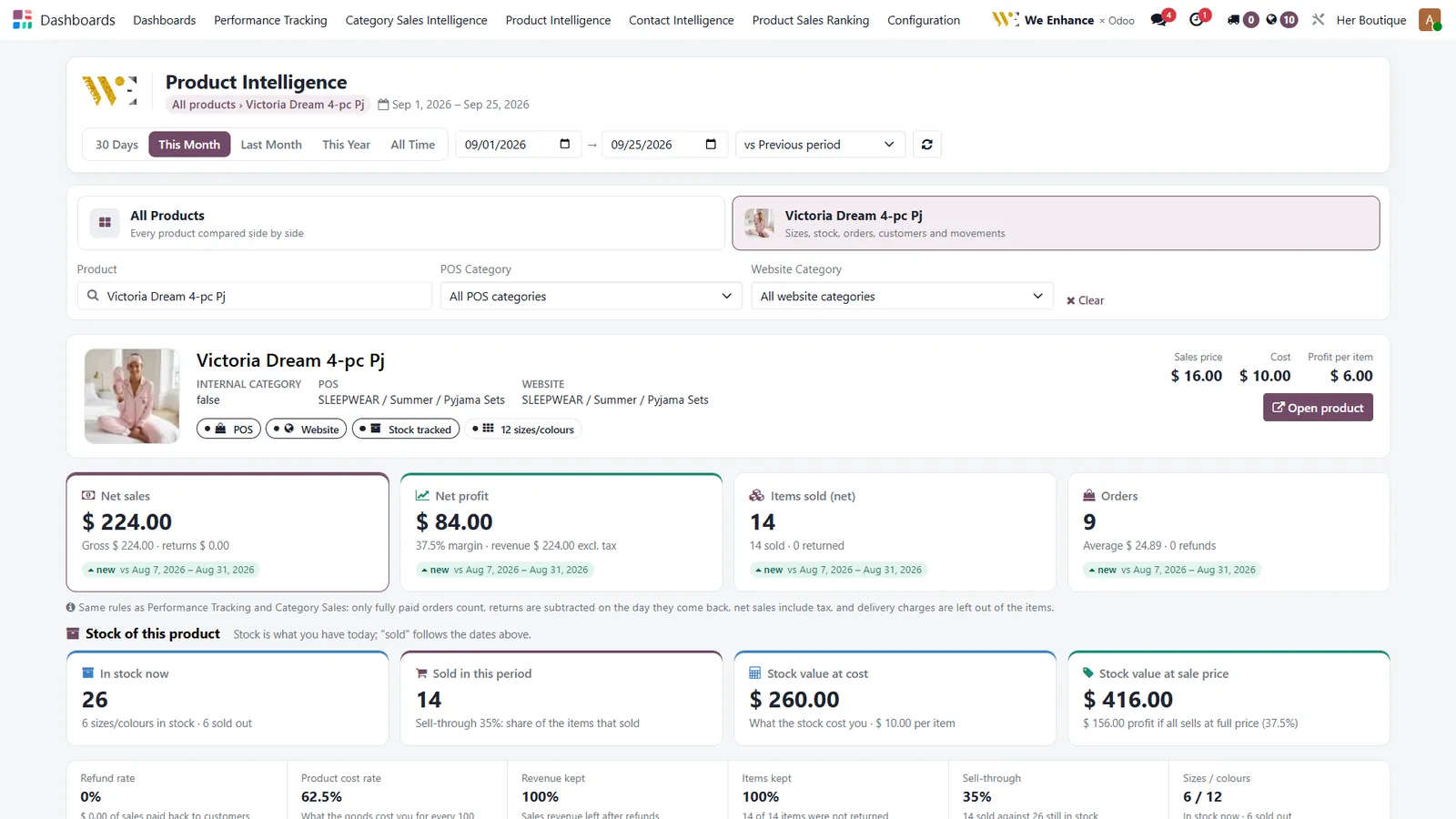 Product intelligenceOne product: sales, margin, stock value and sell-through.
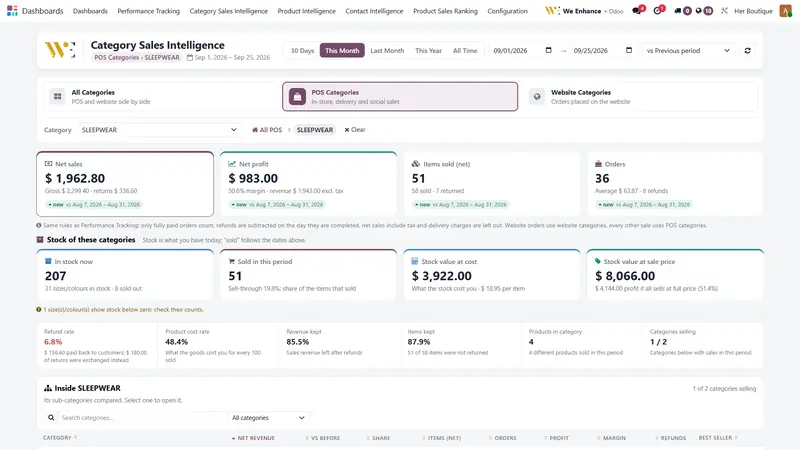
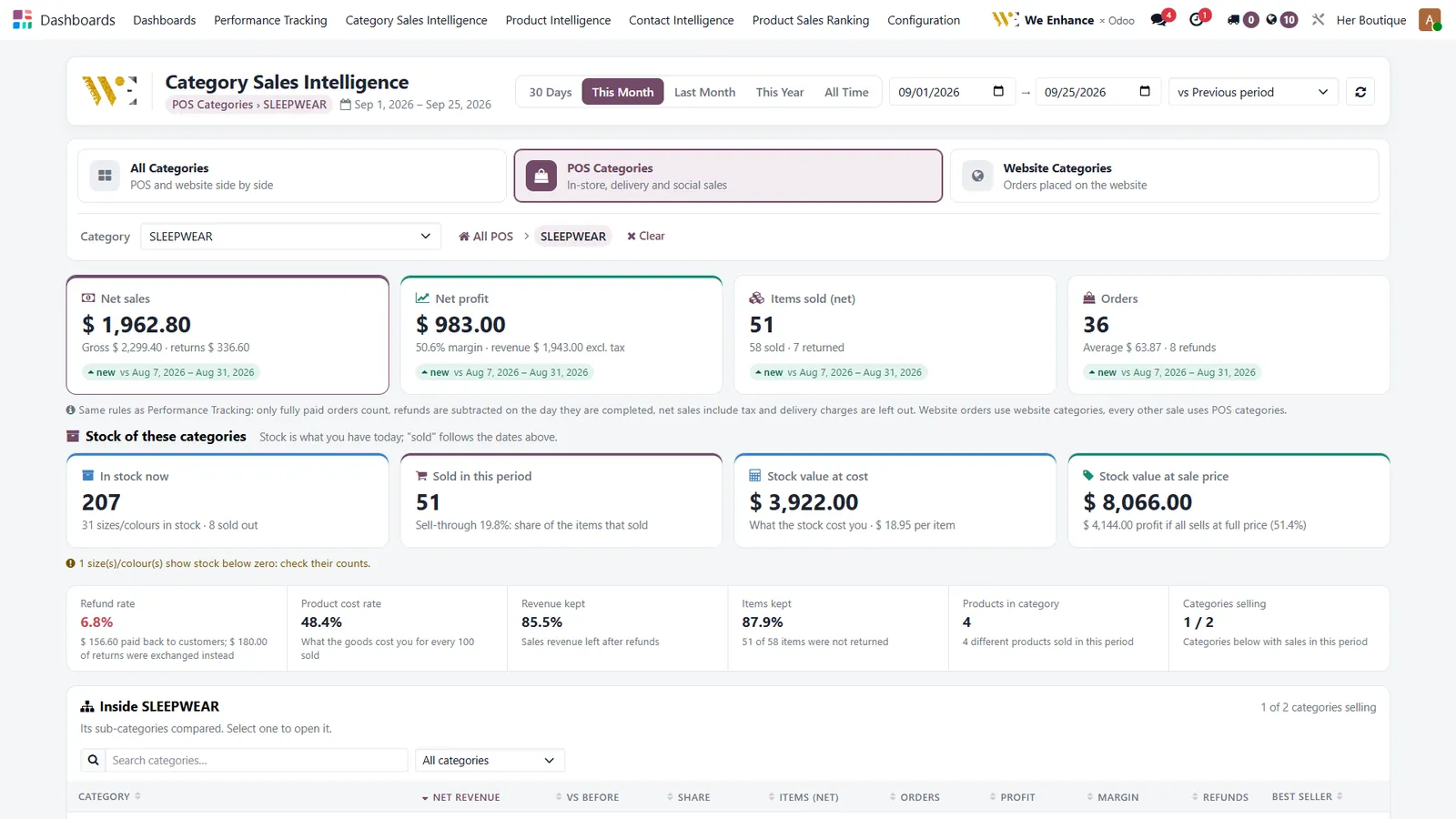 Category intelligenceWhich category earns, which one sits on the shelf.
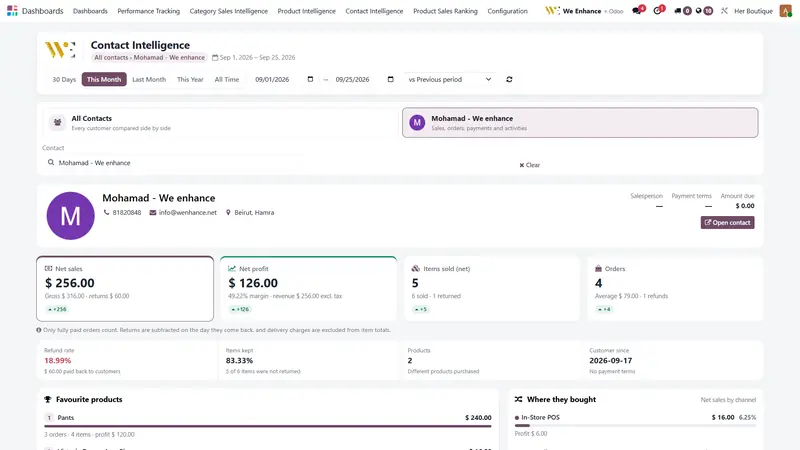
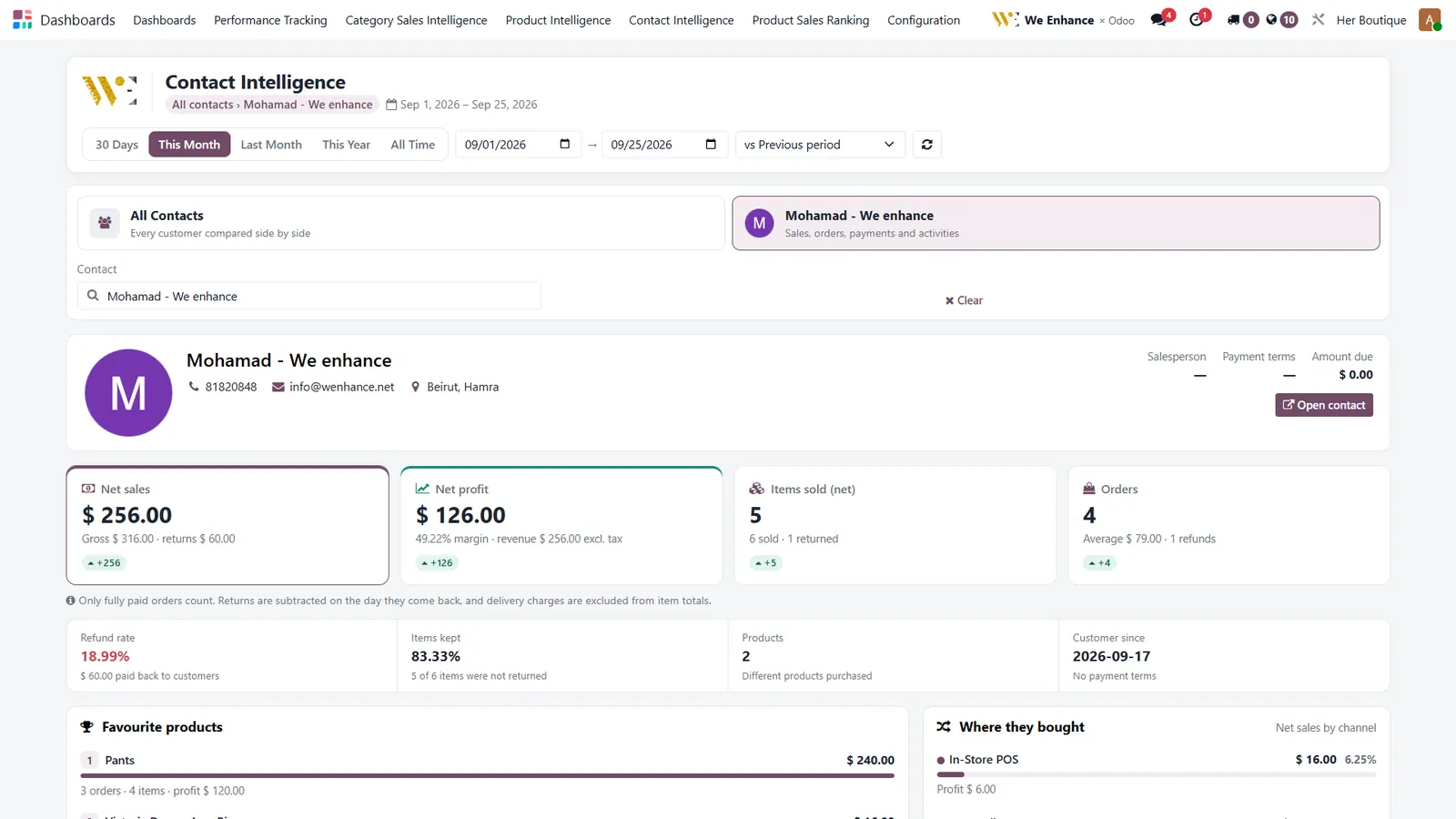 Customer intelligenceWhat each customer bought, where, and what came back.
Accounting reportsBalance sheet, profit and loss, cash flow, tax report.
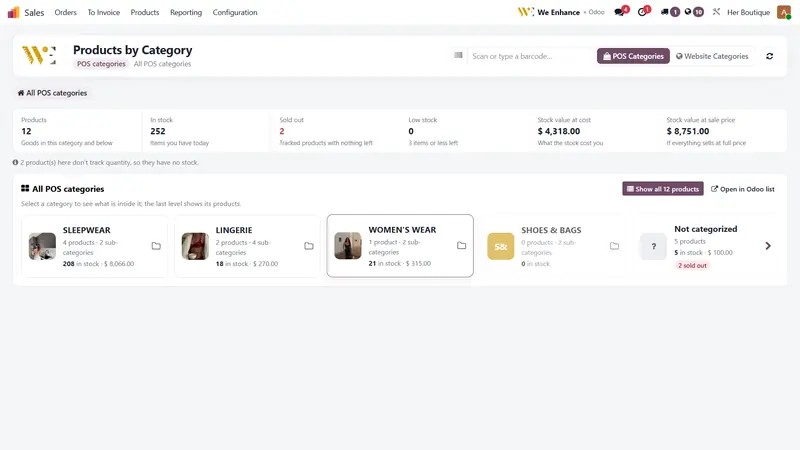
POS registerTap a category, tap a product, see live stock on every tile.
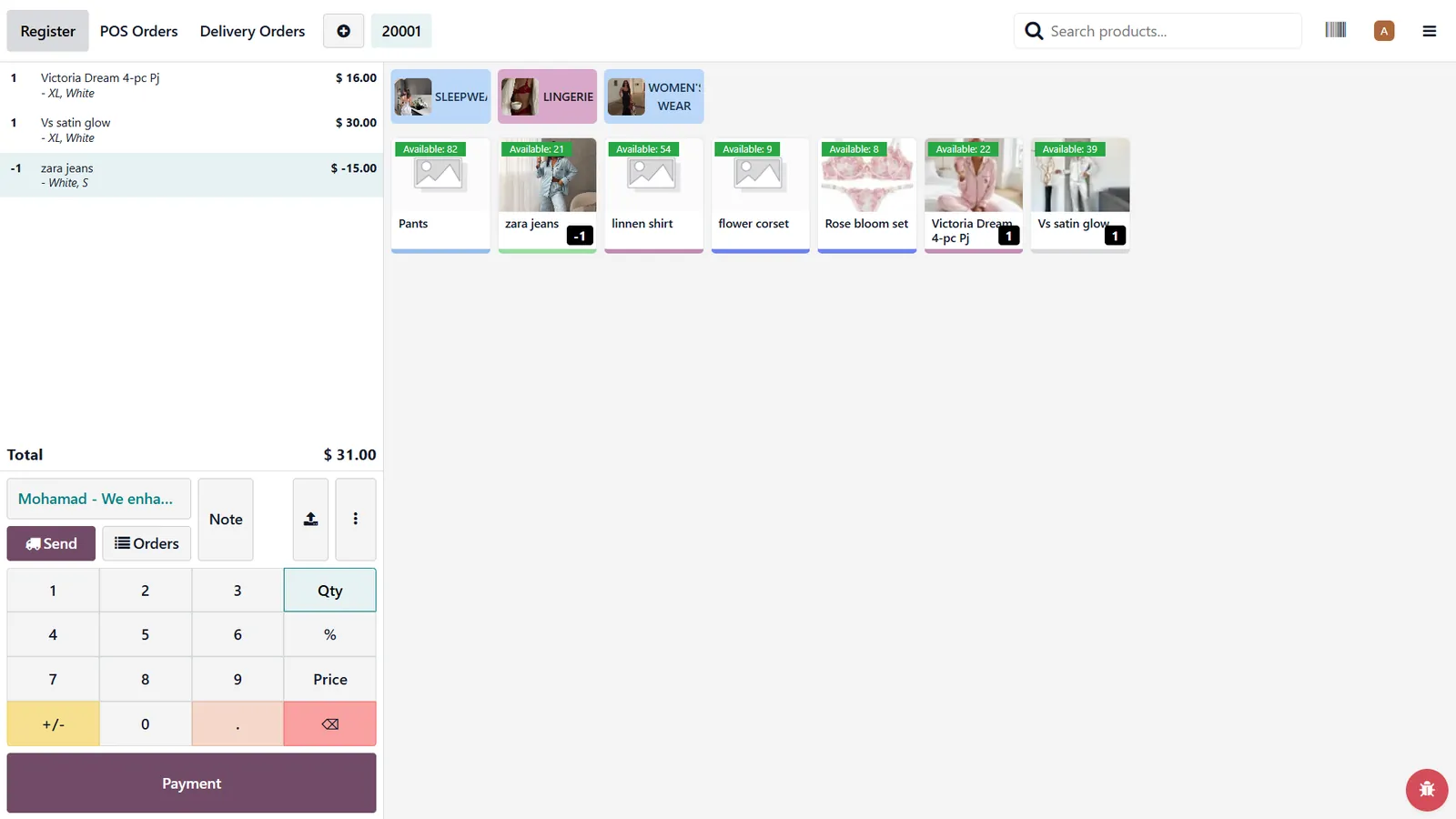 Returns and exchangesA return and a new sale on the same ticket.
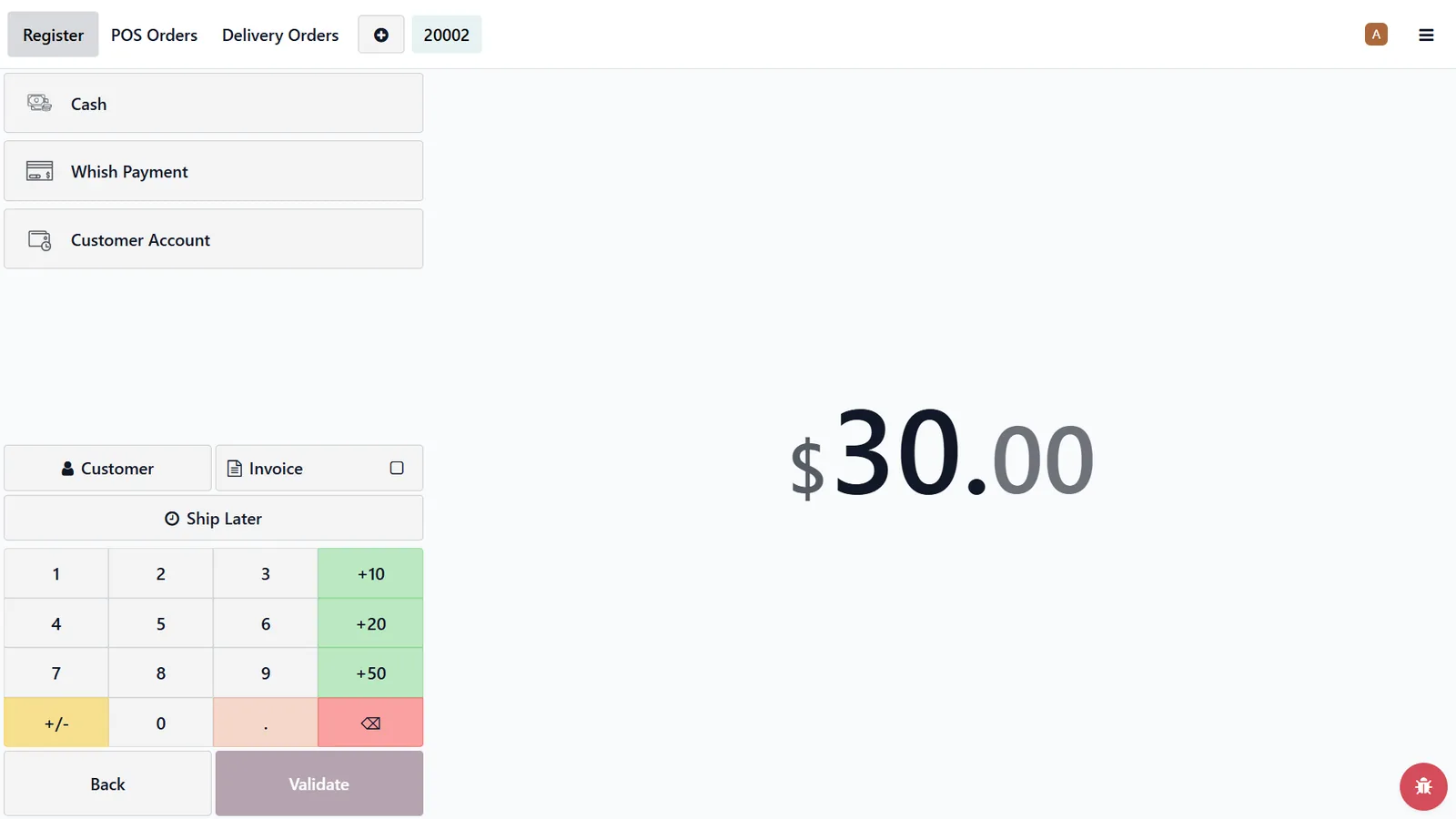 Payment screenCash, Whish or customer account in two taps.
Branded receiptLogo, exchange policy and a QR code for the invoice.
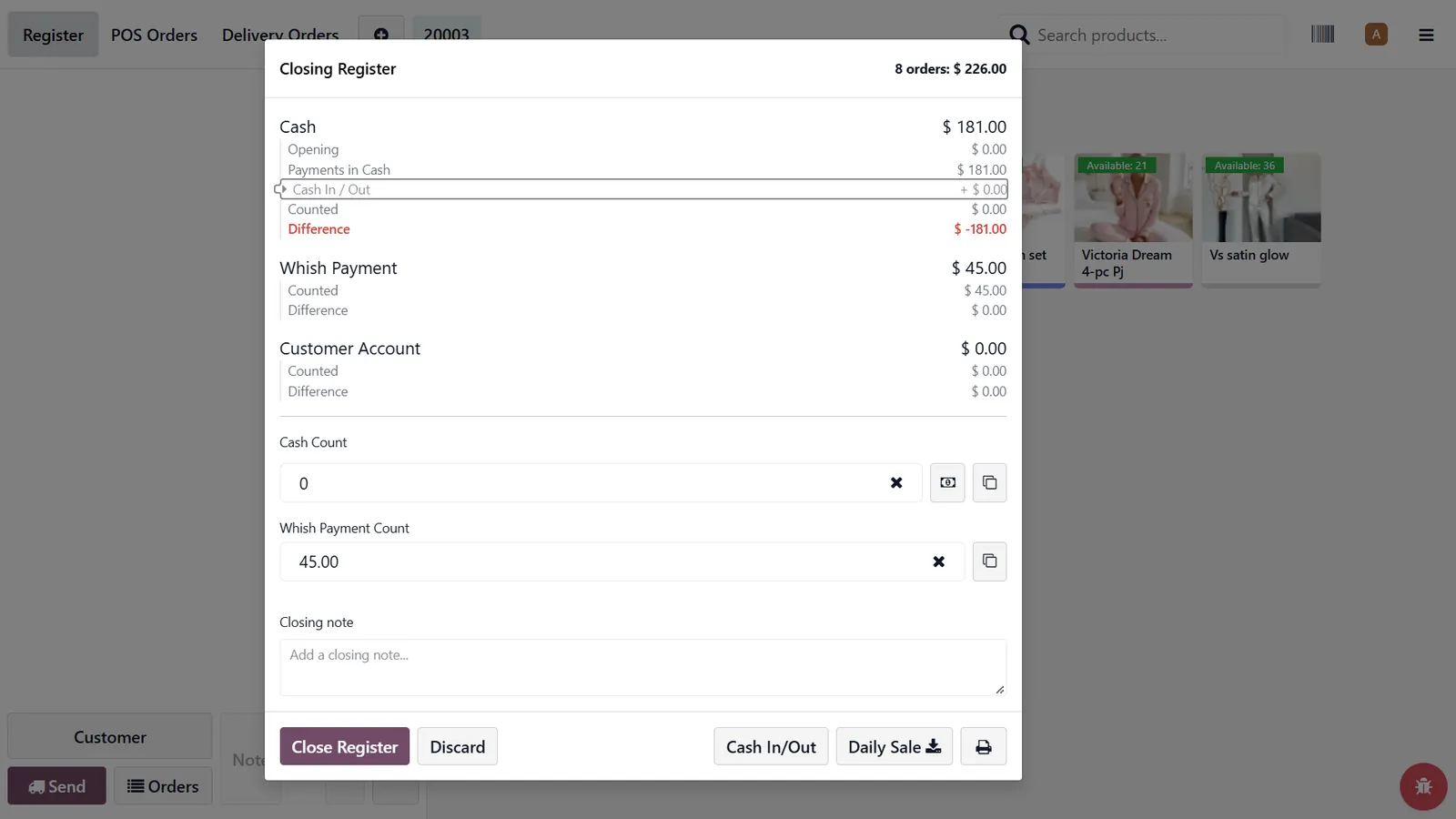 Closing the registerCount the drawer, see the difference, close the day.
 Customer displayA second screen that shows the total to the customer.
Size and colour matrixStock for every size and colour of one item, in one table.
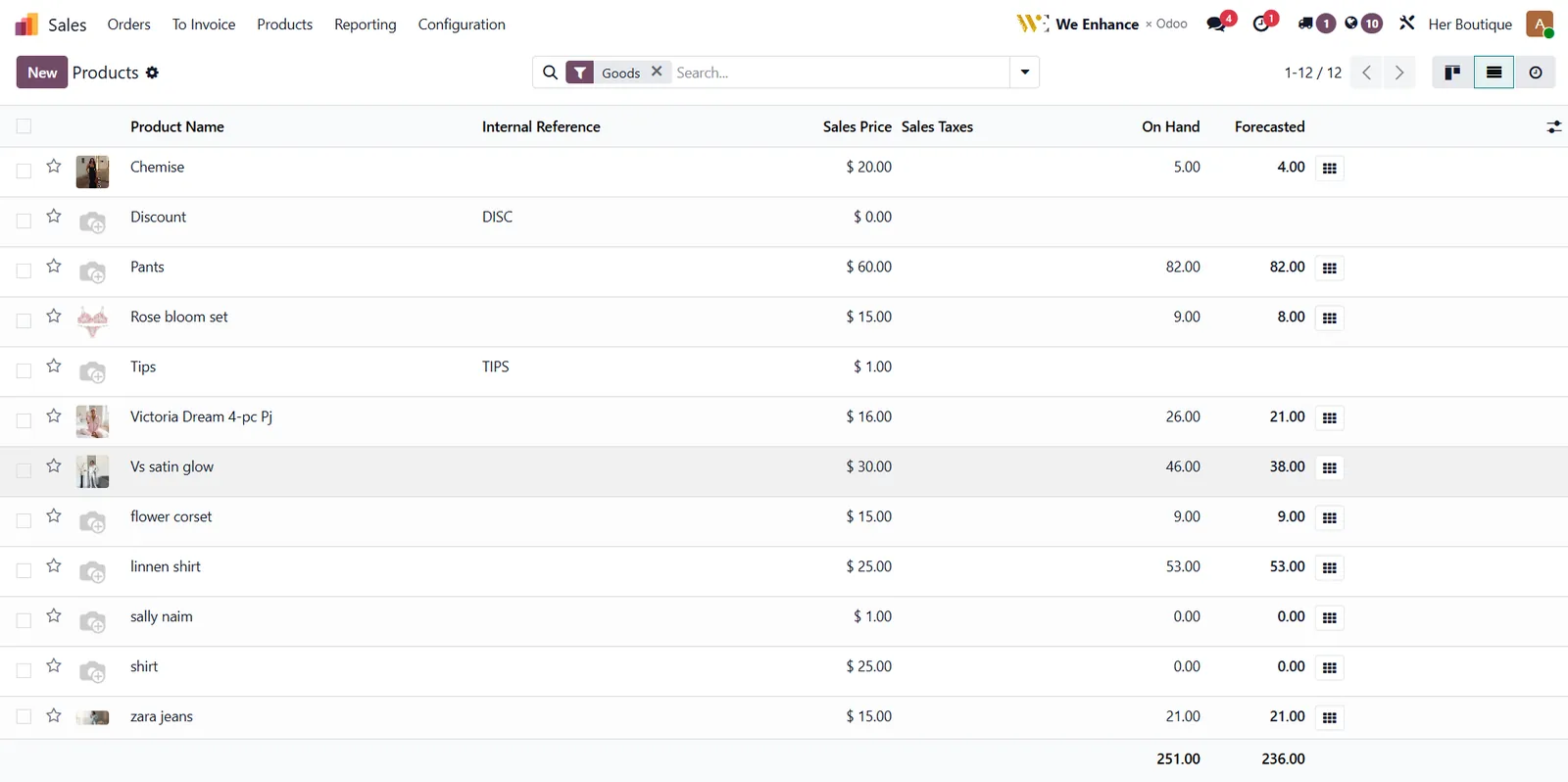 Product listPrice, stock on hand and forecast for every item.
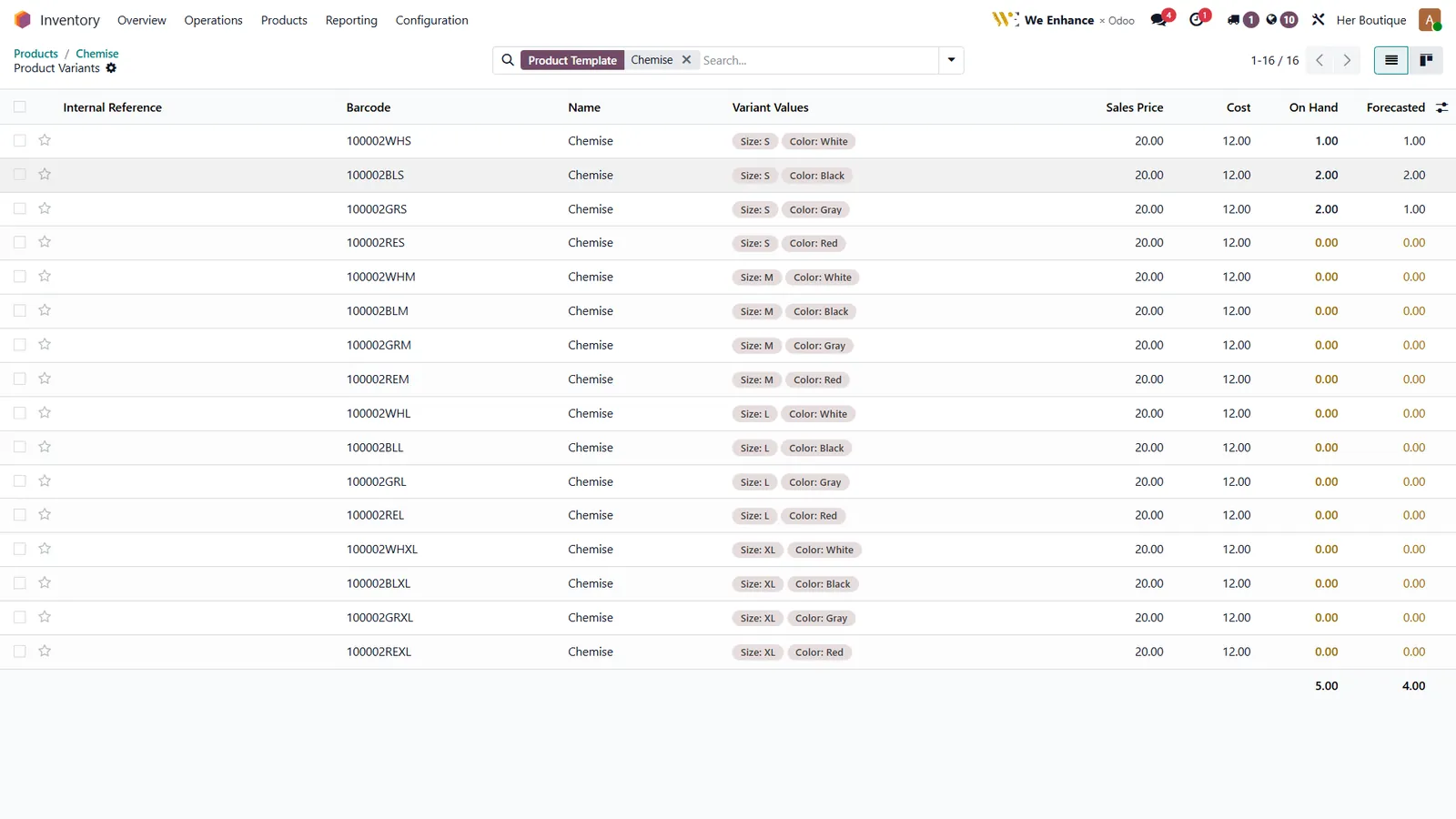 Variants with barcodesEvery size and colour gets its own barcode.
 Barcode printingChoose how many labels per variant, then quick print.
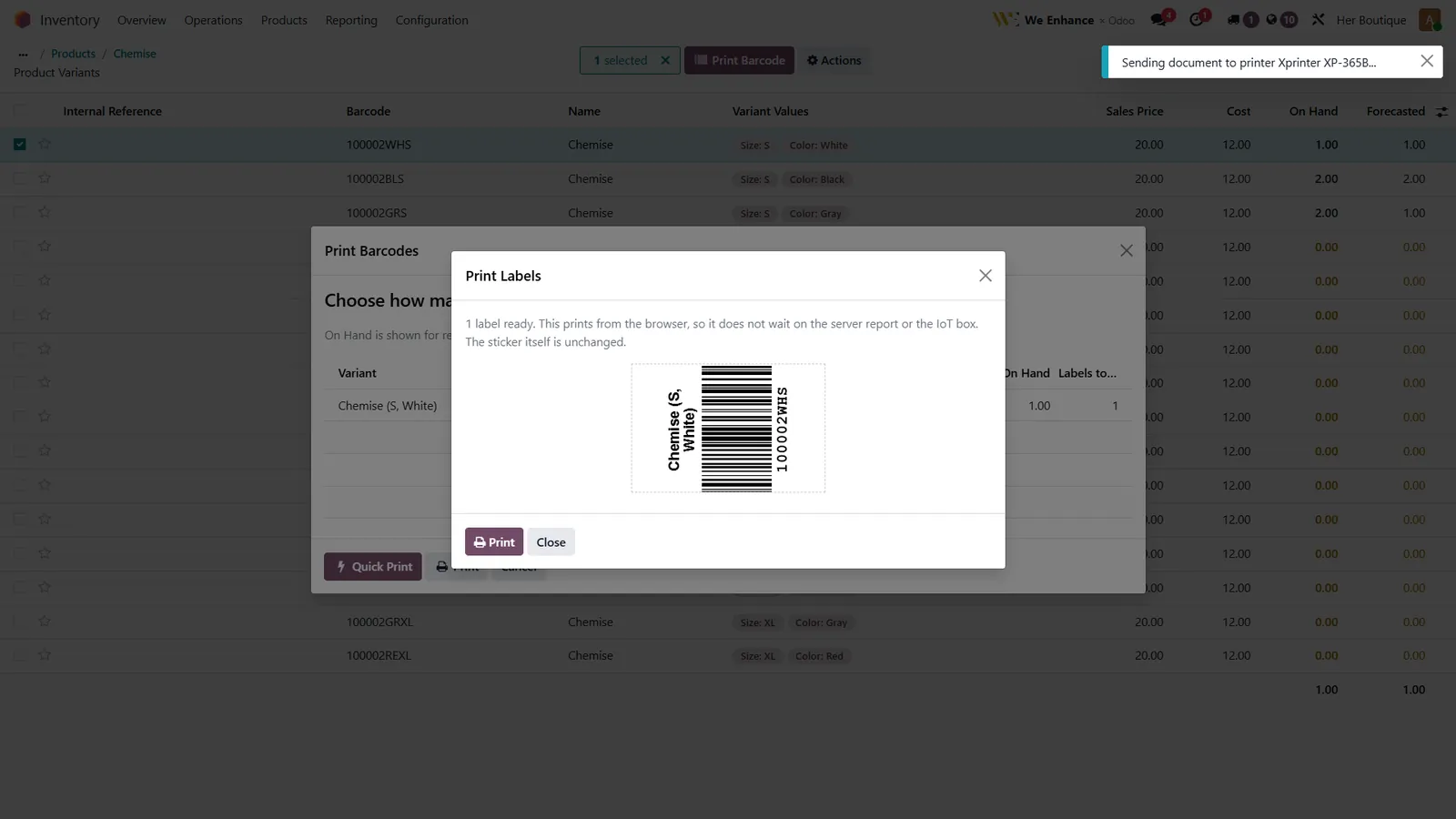 Label previewThe label as it leaves the printer.
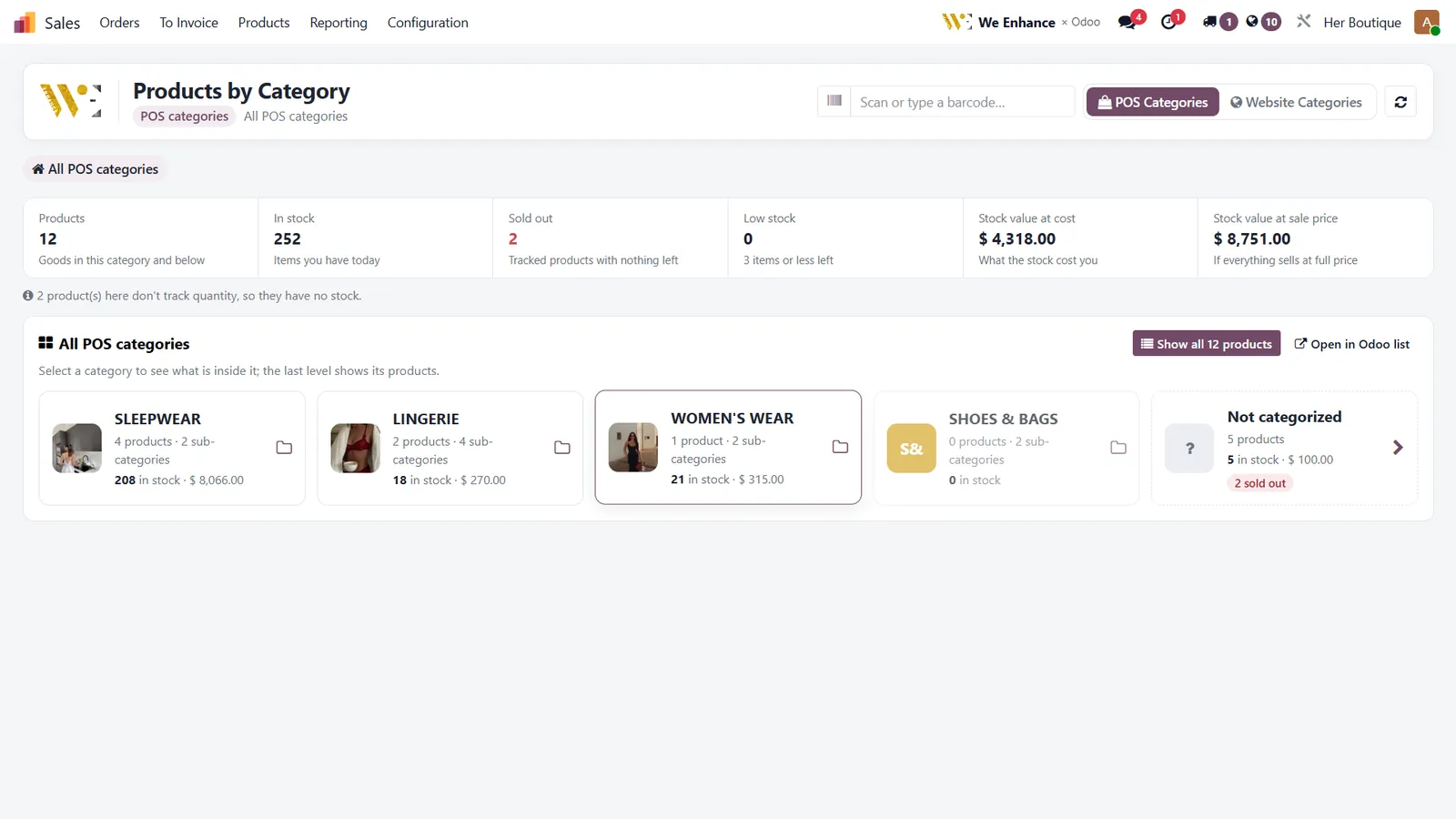 Stock by categoryUnits in stock and stock value, at cost and at sale price.
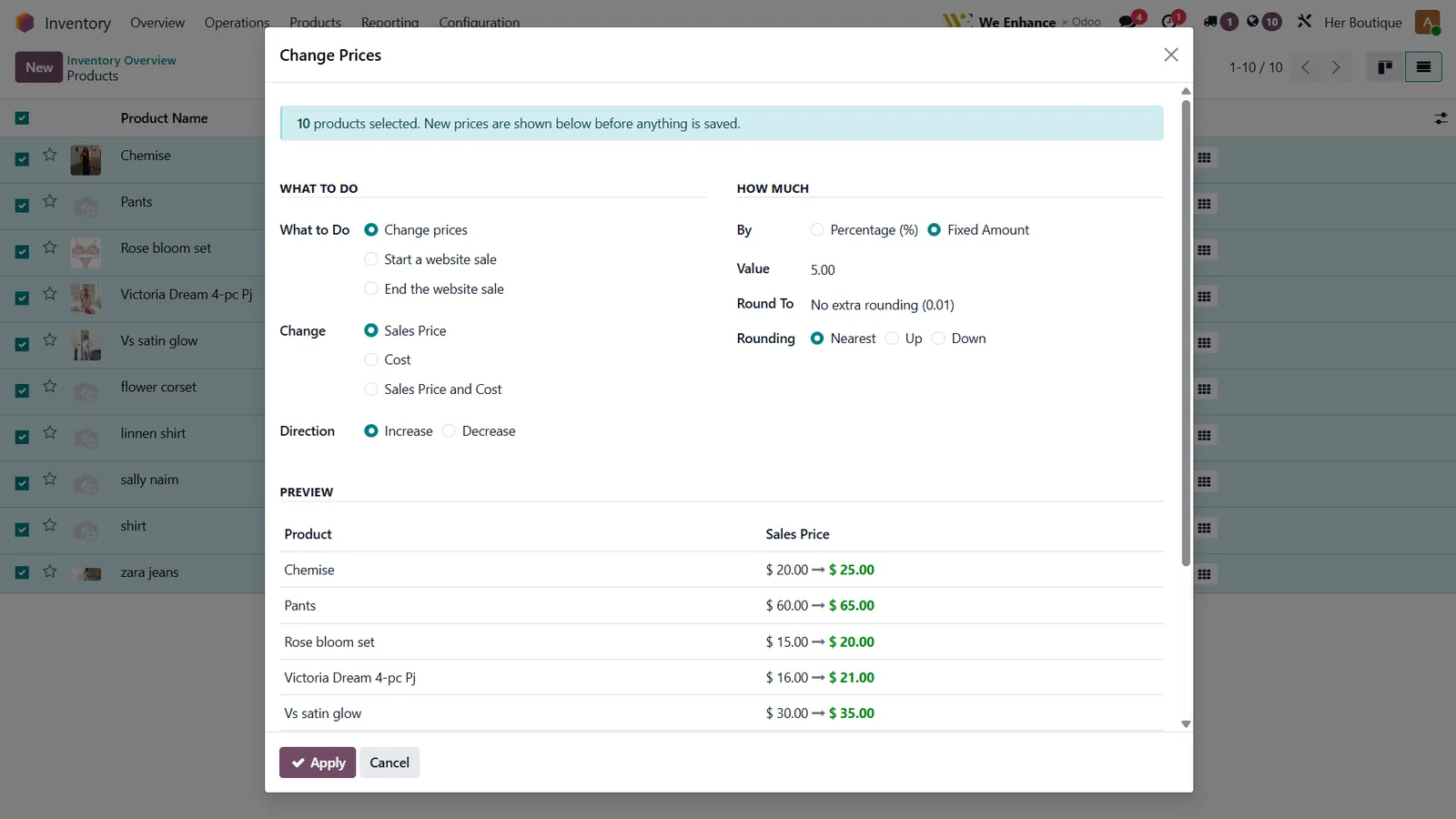 Bulk price changeRaise or cut prices for a whole category in one step.
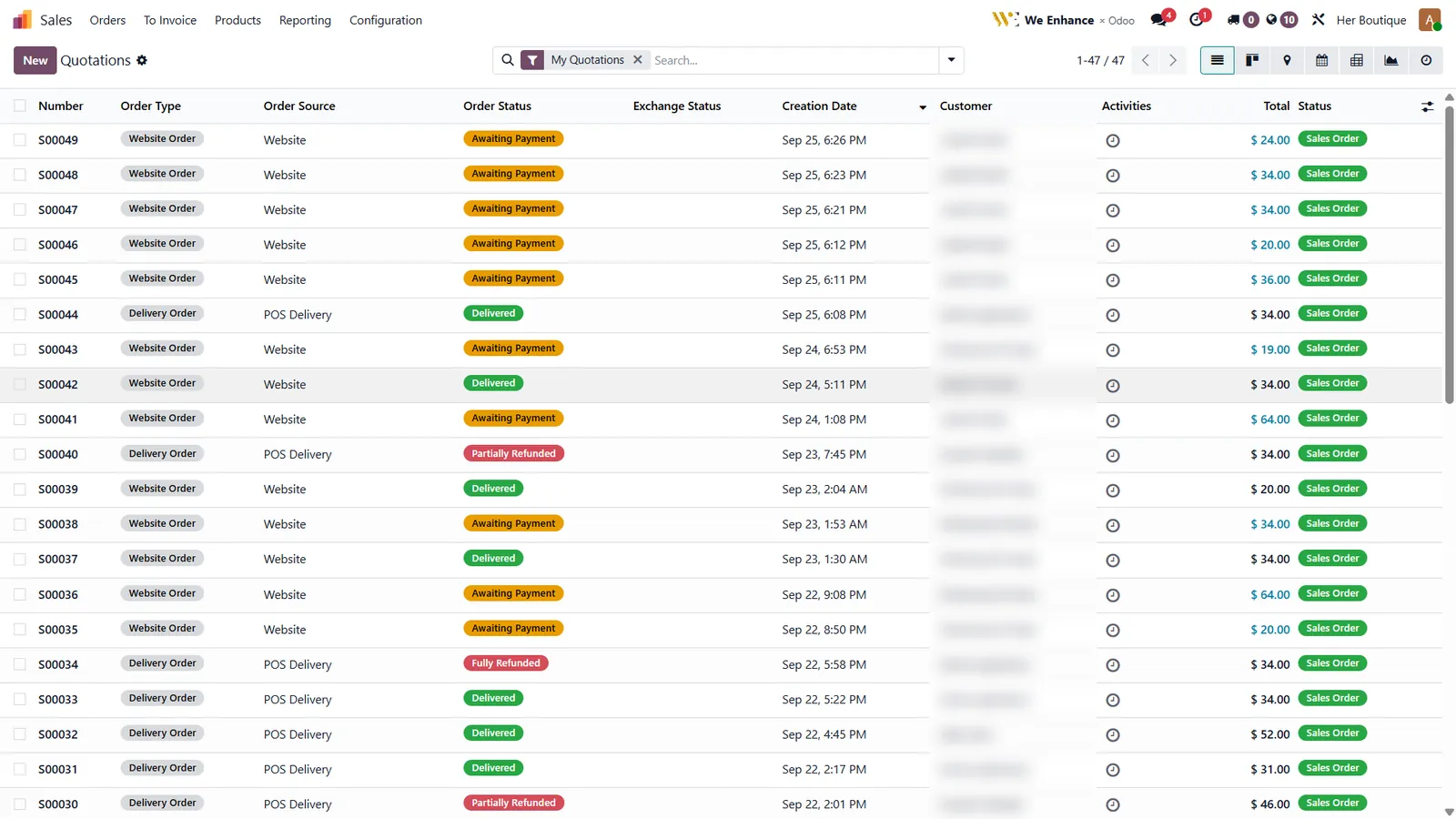 Every order in one listWebsite and delivery orders with payment and delivery status.
Order status at a glanceAwaiting payment, delivered, partially or fully refunded.
Delivery slipPrinted for the driver, with the amount to collect.
Online storeThe shop customers see, fed by the same stock.
 Shop page with filtersSize, colour, price and availability filters.
 Product pageSizes and colours come straight from inventory.
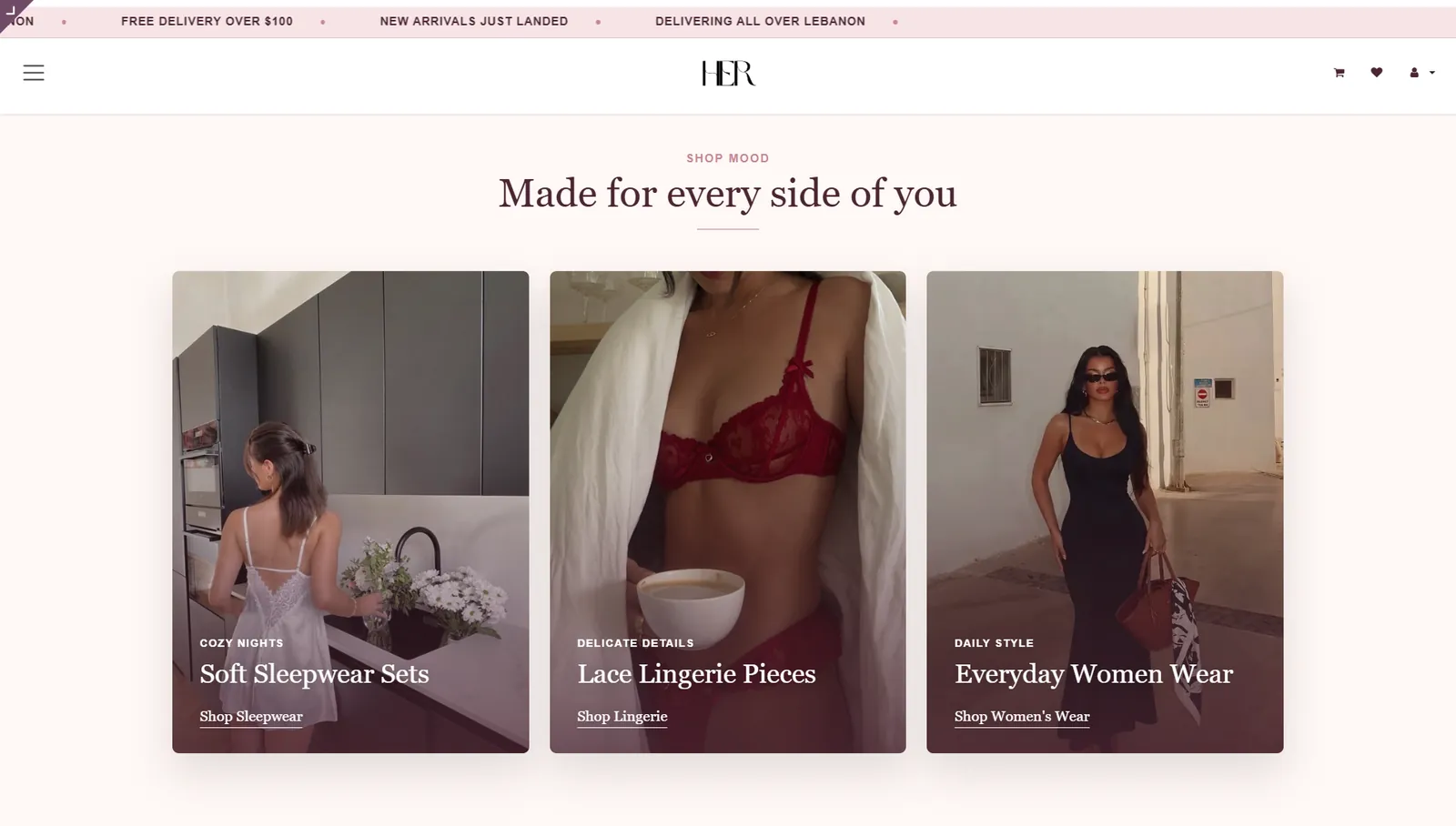 CollectionsCategories match the ones on the POS.
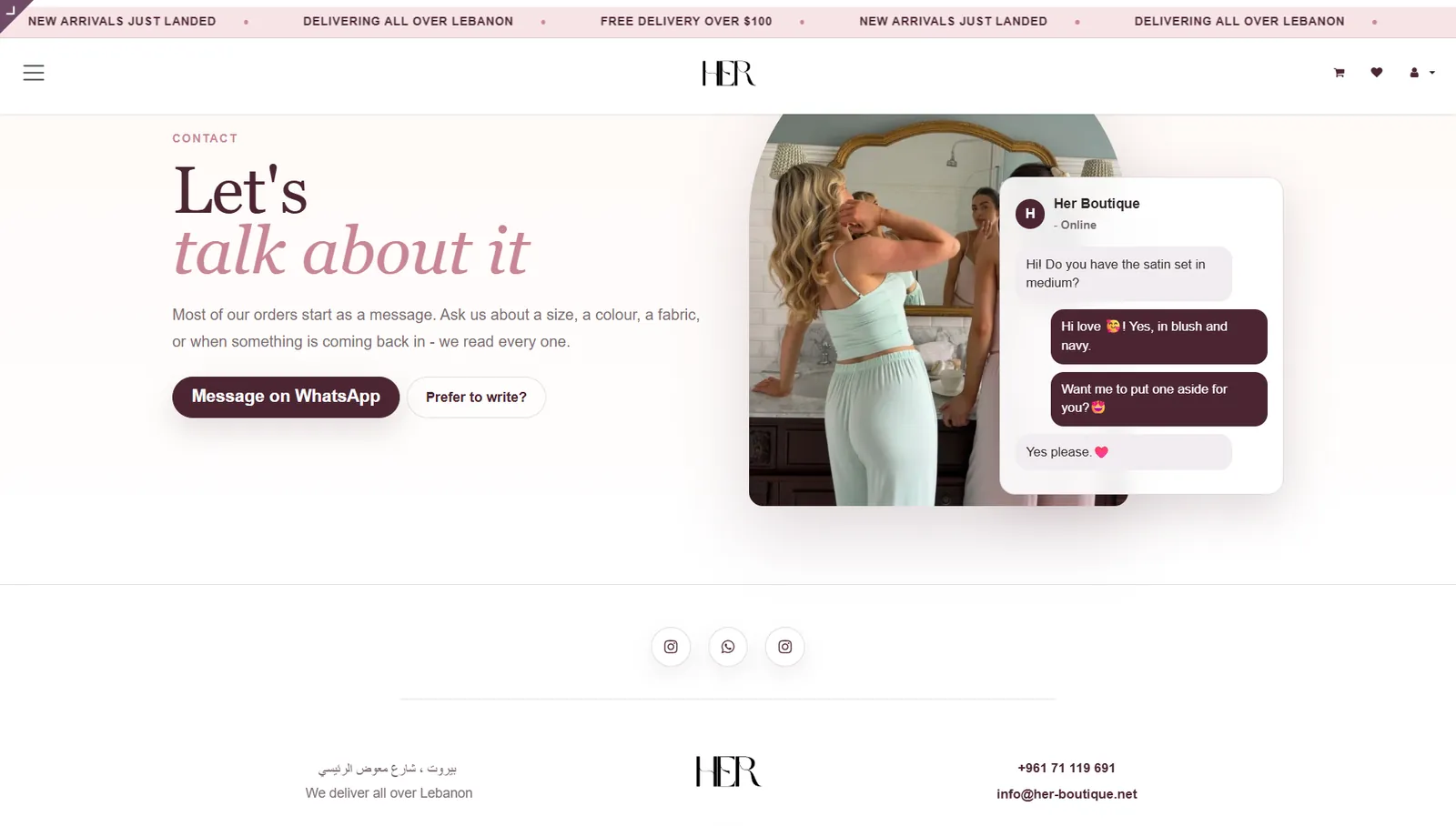 Contact pageWhatsApp first, the way customers here like to order.
getting started
We set it up. You run the shop.
- 01
Map your shop
We list your products, sizes, prices and how you sell today.
- 02
Build and import
We configure the system and load your stock and customers.
- 03
Train your team
Your staff practise real sales, returns and closing.
- 04
Stay with you
We remain on call and add what you need as you grow.
Trusted work, rated 5.0 on Google.
More than 130 clients reviewed our work on Google. The average is five stars.
See it running on your products.
Send us a few items and we will show you the till, the stock and the reports with them.